

Azure Virtual Desktop & ASD Essential Eight IT Security
Azure Virtual Desktop (AVD) is Microsoft’s cloud-based desktop and application virtualisation platform built on Microsoft Azure. It allows your staff to securely access a full Windows desktop or specific business applications from anywhere, on any device — laptop, tablet, or browser.
Instead of running everything on local PCs or on-prem servers, your desktops live inside Microsoft’s cloud. That means better security, centralised management, and flexibility for hybrid or remote teams.
Whether you need full desktop environments or just remote access to key business apps, Azure Virtual Desktop gives you enterprise-grade performance without the hardware overhead.
Why Businesses Are Moving to Azure Virtual Desktop
Remote & Hybrid Work Without Compromise
Your team can securely connect from home, interstate, or overseas — with the same experience as being in the office, without disruption or downtime.
Improved Security and Control
Data stays inside Azure. Nothing is stored on local devices. Combined with Microsoft security controls, conditional access, MFA and endpoint policies, AVD dramatically reduces risk from lost devices or compromised endpoints.
Cost Efficiency
Windows 10/11 multi-session allows multiple users to share virtual machines, reducing compute costs compared to traditional VDI. You only pay for Azure infrastructure you actually use, and environments can scale up or down depending on demand.
Business Continuity
- Hardware failure?
- Office inaccessible?
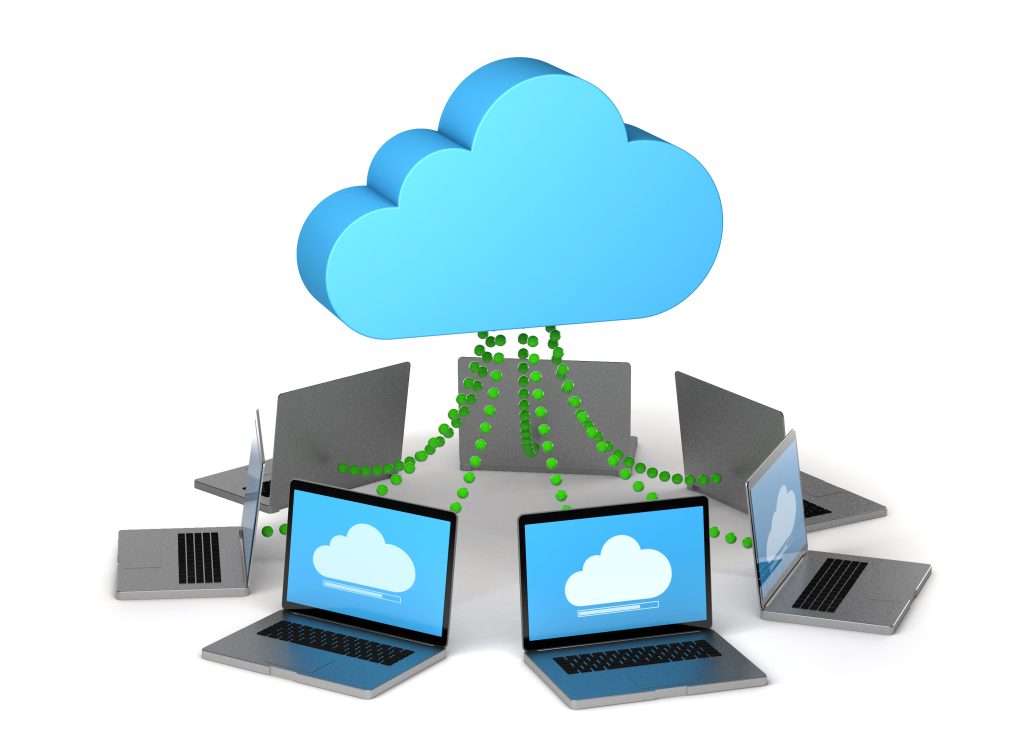
It doesn’t matter. Your desktop environment lives in the cloud and is available from anywhere.
__PRESENT__PRESENT__PRESENT
How Azure Virtual Desktop Works?
Azure Virtual Desktop Deployment
Azure Virtual Desktop uses “host pools” — groups of virtual machines running Windows inside Azure. Users connect via the Microsoft Remote Desktop app or a web browser.
From the Azure Portal, administrators can:
Manage host pools and session hosts
Assign users to desktops or applications
Monitor performance and usage
Automate scaling to control costs
Because it integrates natively with Microsoft 365, Entra ID (Azure AD), SharePoint, OneDrive and Teams, your existing Microsoft ecosystem works seamlessly inside the virtual desktop.
ASD Essential Eight Alignment
Security is where Azure Virtual Desktop really shines.
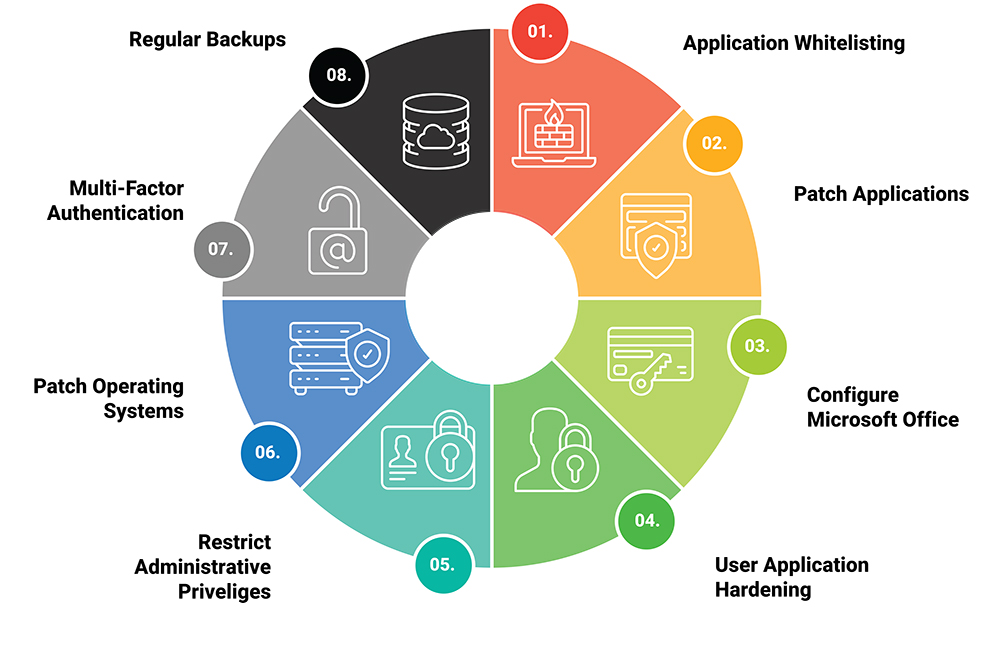
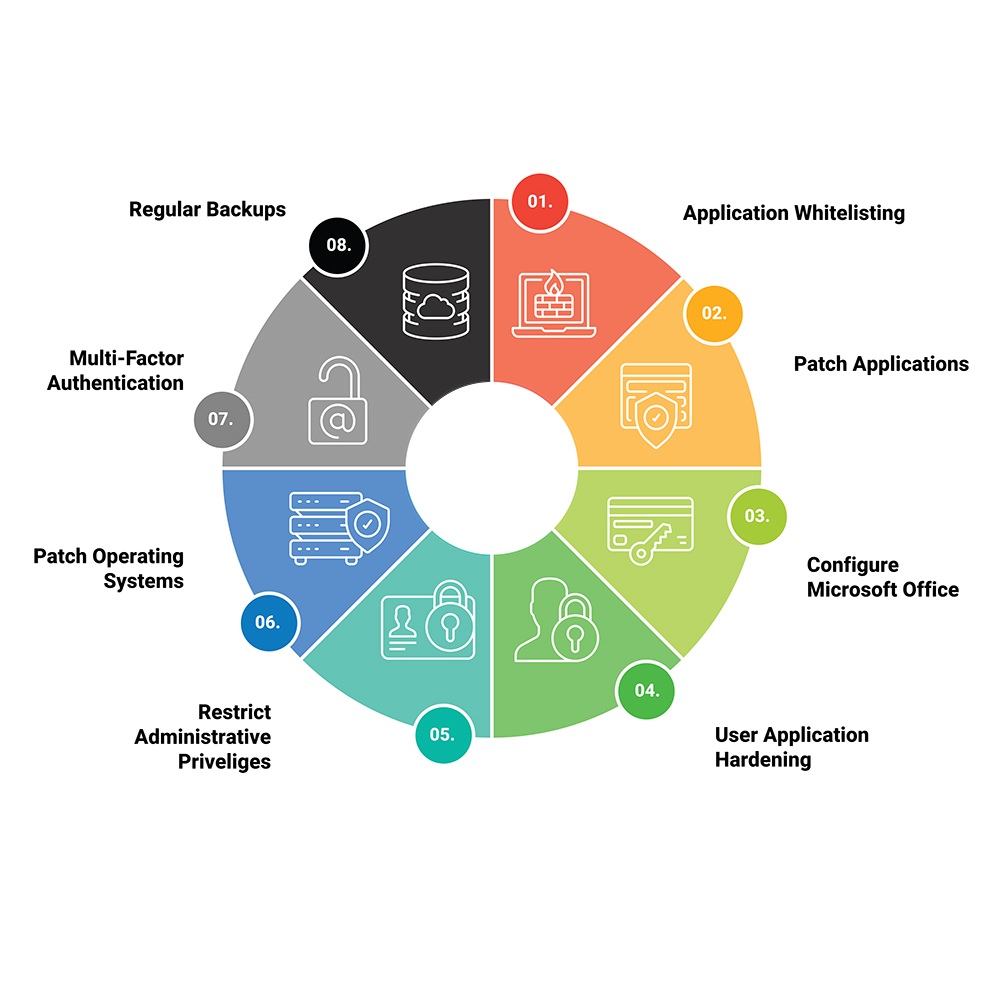
We deploy AVD environments aligned to the ASD Essential Eight mitigation strategies where required. That includes:
Application Whitelisting
- Patch Applications
- Configure Microsoft Office
- User Application Hardening
- Restrict Administrative Priviliges
- Patch Operating Systems
- Multi Factor Authentication
- Regular Backups
By centralising desktops in Azure, patching and security controls become far easier to manage compared to individual on-prem machines scattered across offices or homes.
For regulated industries, this makes compliance far more achievable.
__PRESENT
Why Choose Tech Australia?
Deploying AVD properly requires more than just spinning up virtual machines. It requires:
Network design
Security hardening
Conditional access policies
Backup strategy
Monitoring & optimisation
Ongoing management
Techaust designs, deploys, and manages Azure Virtual Desktop environments for Australian businesses. We ensure your deployment is secure, scalable, and aligned with compliance frameworks like ASD Essential Eight.

If you want to modernise your IT environment, reduce hardware reliance, and secure your workforce properly — we can help.
Contact Tech Australia IT Services today to discuss an Azure Virtual Desktop deployment tailored to your business.
We design secure, scalable cloud desktop environments that give your team access to their work from anywhere, on any device — without compromising performance or compliance. Whether you’re growing, supporting remote staff, or tightening security controls, we’ll build a solution that fits your operations and budget. Let’s simplify your IT, strengthen your security posture, and future-proof your business with a practical, cost-effective Azure Virtual Desktop strategy.
__PRESENT

365-Day Reliability
Your business needs to function seamlessly every day of the year. We provide IT support and solutions required to keep your operations running smoothly, 24/7, 365 days a year.